Verify Stockity
Writen By

Online Trading Platform Researcher and Guide Writer
Researches broker platforms and trading account Systems.
Before you can fund accounts, request withdrawals, or remove trading limits, completing the platform’s identity checks is essential. Verification reduces the chance of payout holds, prevents account suspension from mismatched information, and fulfils regulatory KYC requirements. Many users slow the process by submitting low-quality images, expired IDs, or proof-of-address that doesn’t match their registration details; preparing the right documents and clear scans will speed approval and avoid repeated uploads.
This walkthrough covers the typical documents Stockity accepts, the in-dashboard upload flow, expected review times, and common rejection causes with practical fixes. You’ll find guidance on selfies or liveness checks, how to monitor verification status, and steps to take if the review is delayed. Use the checklist and troubleshooting tips to move your account from limited access to full trading and withdrawal capability.
This walkthrough covers the typical documents Stockity accepts, the in-dashboard upload flow, expected review times, and common rejection causes with practical fixes. You’ll find guidance on selfies or liveness checks, how to monitor verification status, and steps to take if the review is delayed. Use the checklist and troubleshooting tips to move your account from limited access to full trading and withdrawal capability.

How do I verify my account on Stockity
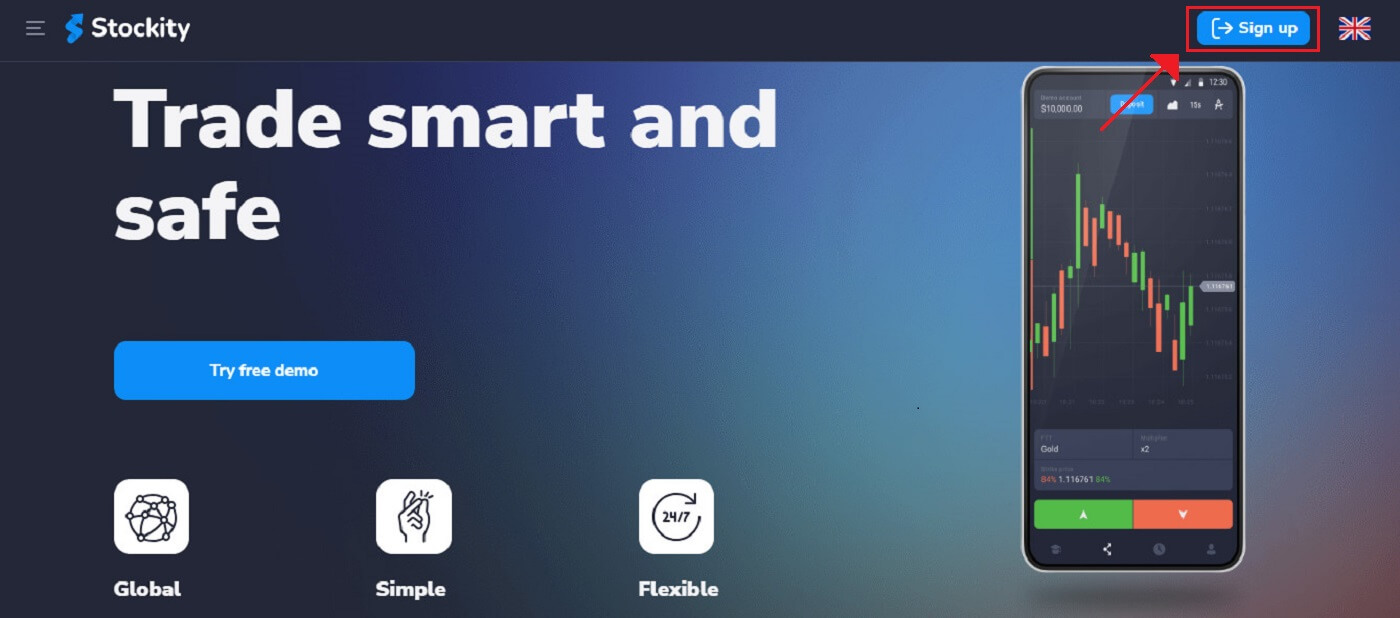
Register or Log inTo use the platform as a licensed user and withdraw the money you have made from trading, you must first complete Stockity Verification. Log into the account to start the easy process. If you’re not already a member, you can also create an account using your email address or preferred social media account.
Verify the Phone Number
1. Once logged in, navigate to the "Profile" section of the platform.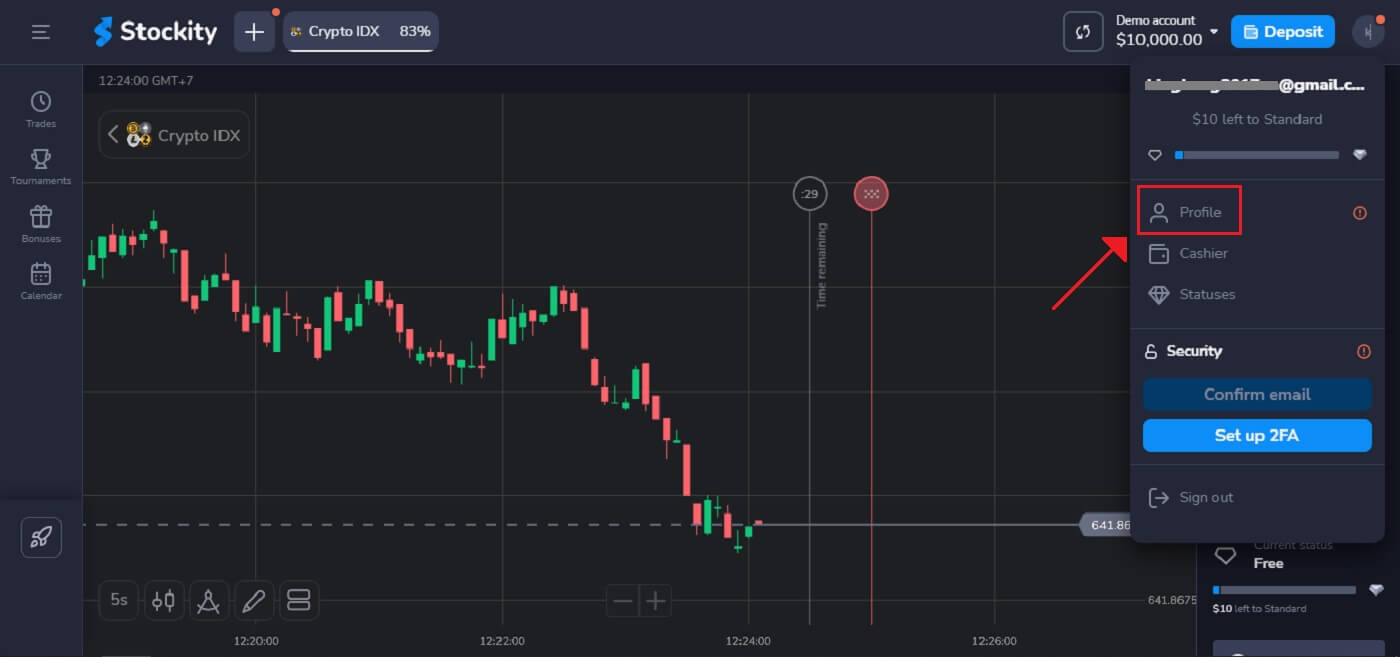
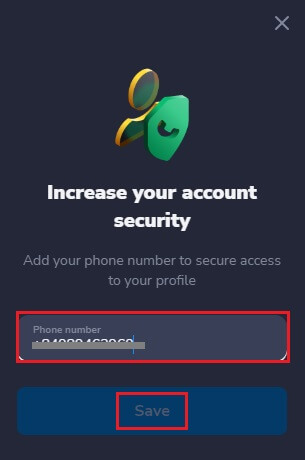
2. Enter your phone number to secure access to your profile and choose "Save".
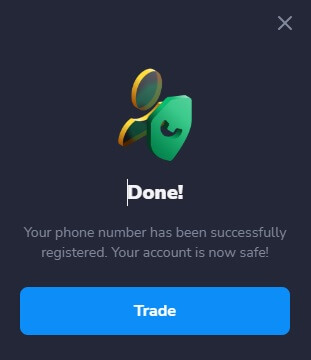
3. The registration of your phone number has been completed.
Verify the Email Address
1. Go to the "Profile" area of the platform after logging in.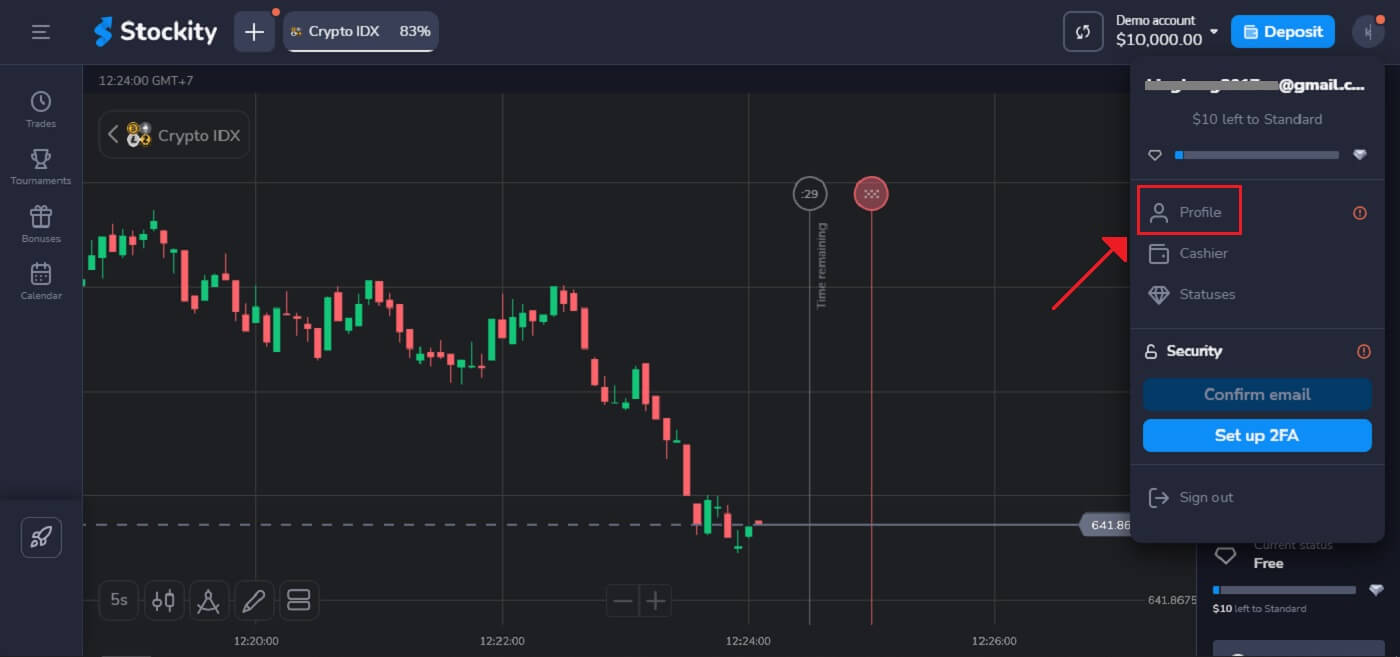
2. When creating an account, users must validate their email addresses to proceed with the basic level of verification.
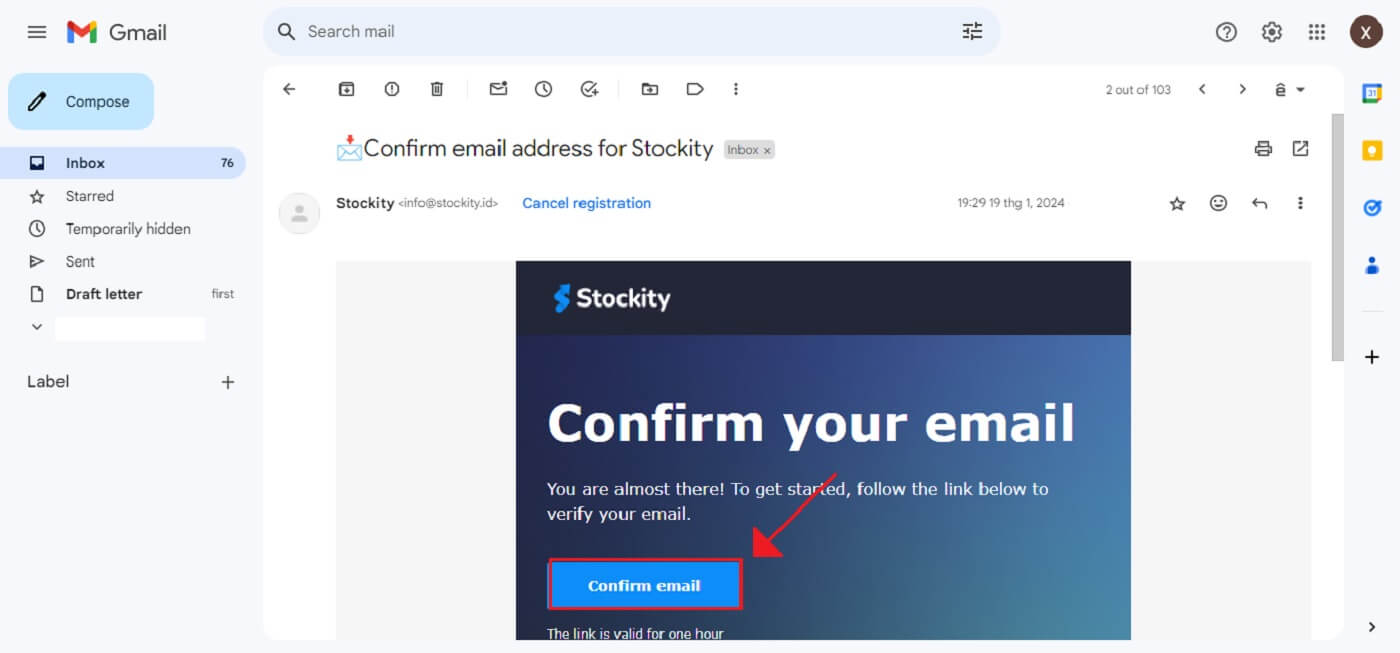
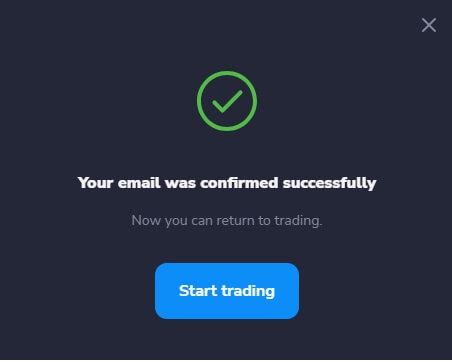
3. The email verification process is now complete. Use the email address you used on the platform to send an email to [email protected] if you do not receive any confirmation emails from us at all. Your email will be carefully verified by us.
Provide the Personal Data
Besides, providing other paperwork in addition to personal details like your full name, birthdate, city, and more.1. Once logged in, go to the "Profile" area of the site.
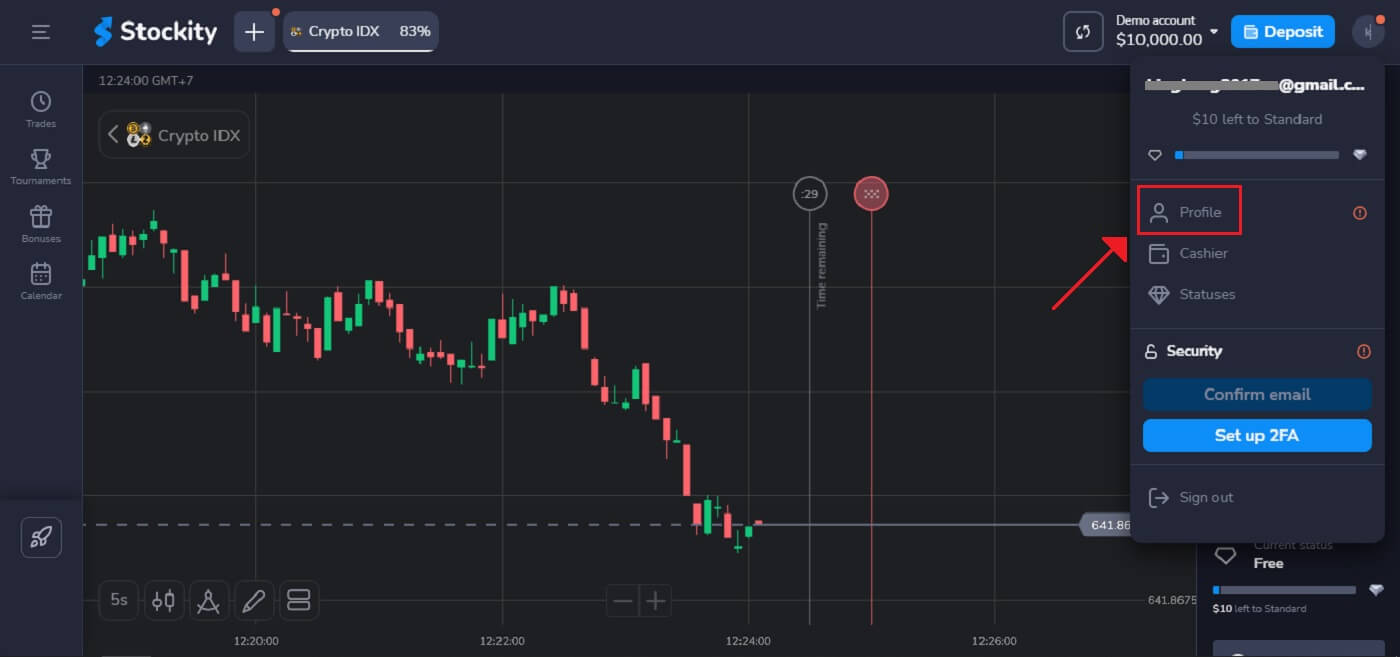
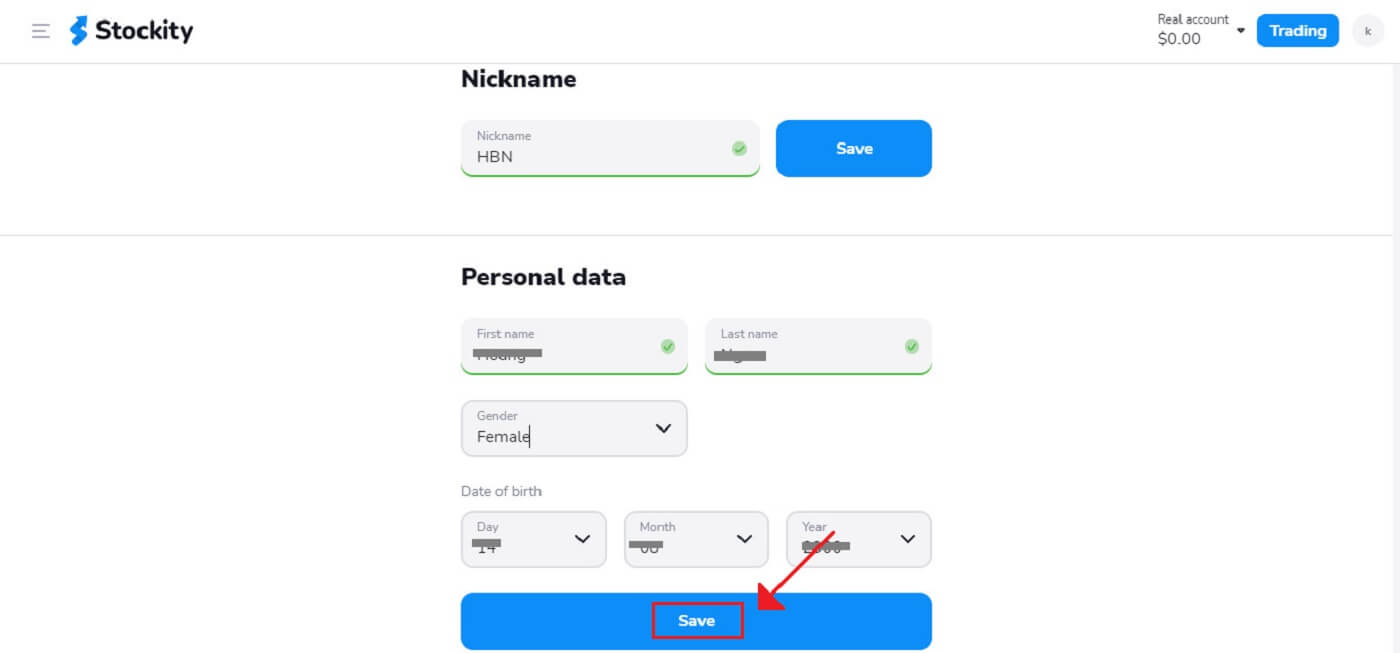
2. On the Personal Data option, Click "Save" after entering your details exactly as they appear on your identity paper.
Two-Factor Authentication (2FA) on Stockity Login
If you have activated two-factor authentication (2FA) for your account, Stockity may come with an extra security feature that will send a Google Authenticator app with a unique code. Follow the instructions to enter this code to finish the login process.To activate 2FA on Stockity, perform the subsequent steps:
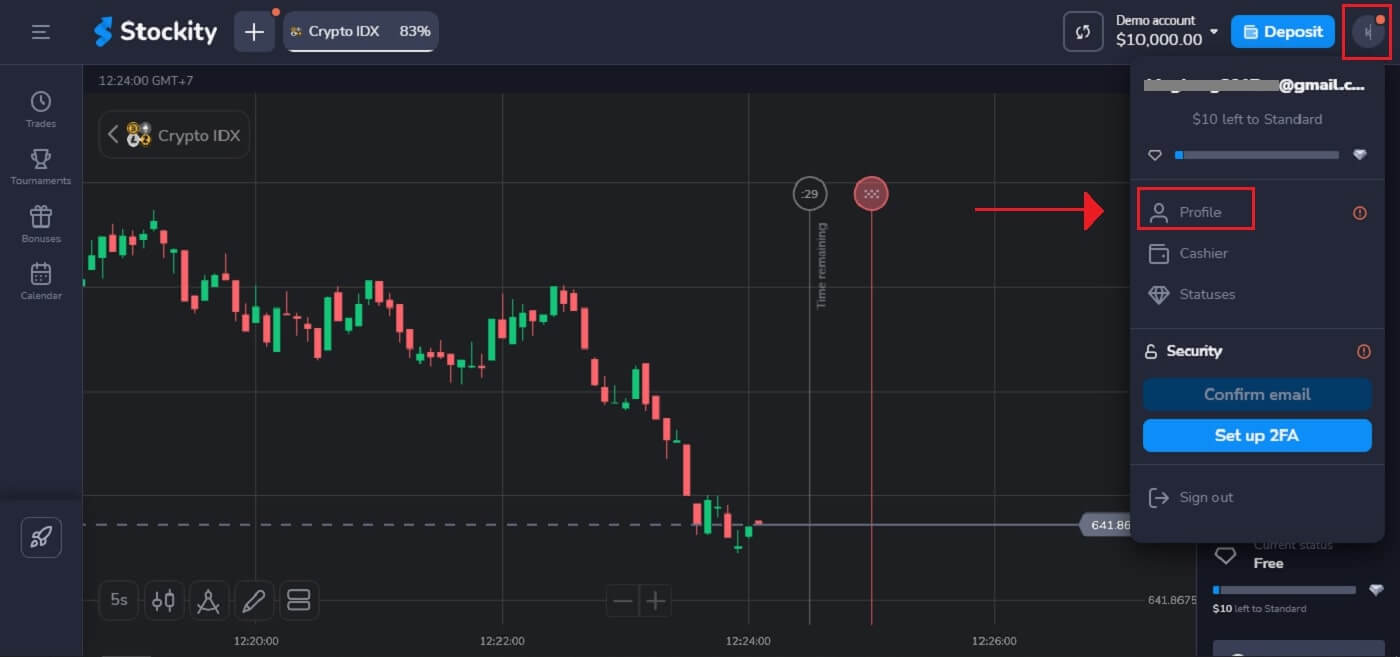
1. Go to your Stockity account’s account settings page after logging in. Usually, you can get to this by selecting "Profile" from the dropdown menu after clicking on your profile image.
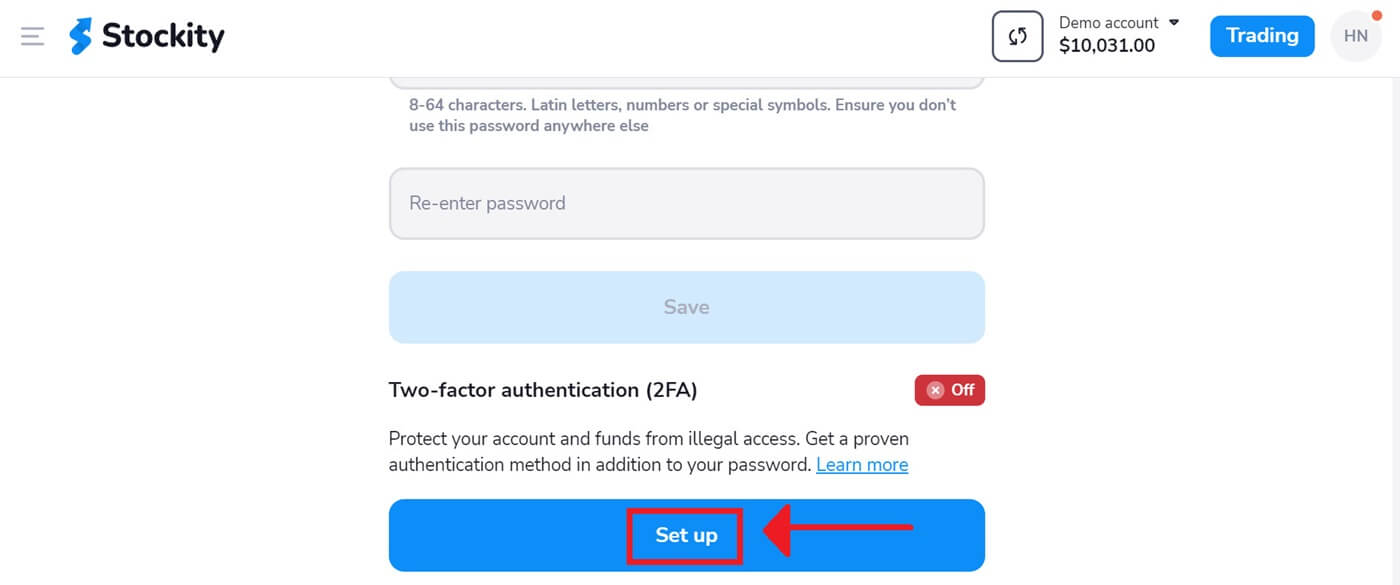
2. Pick the "Set up" tab in the Two-factor authenticator (2FA).
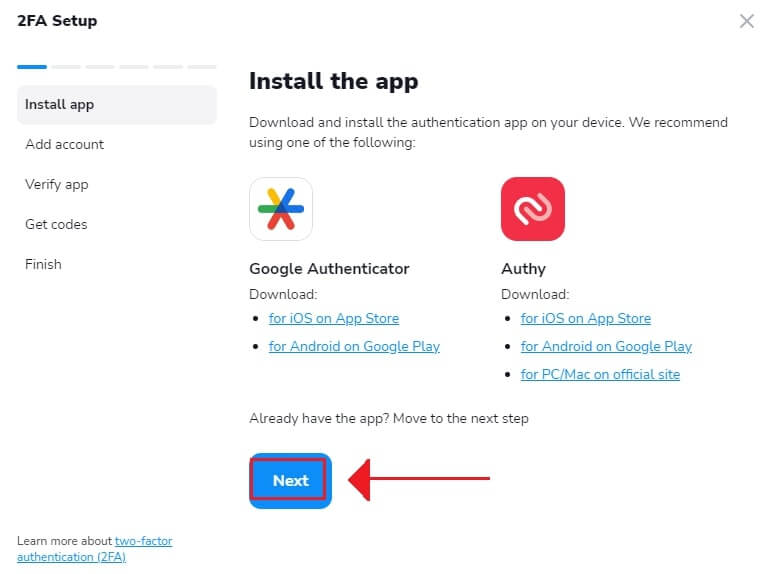
3. After downloading and installing the Authy or Google Authenticator app on your smartphone, select "Next".
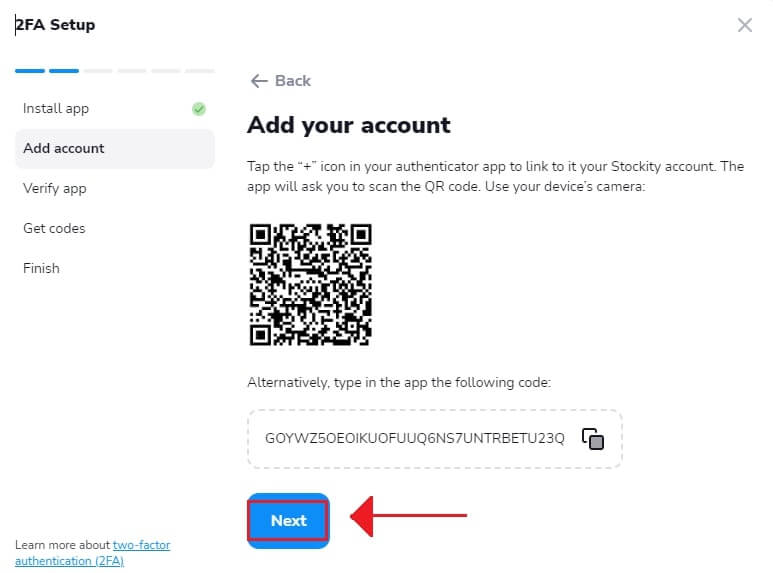
4. Click "Next" once the app has launched, you have scanned the QR code above, or you have entered a code into the application.
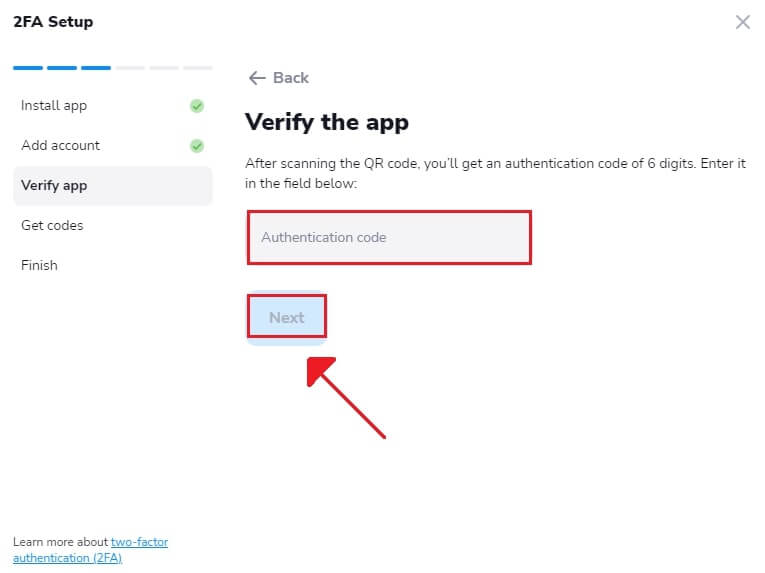
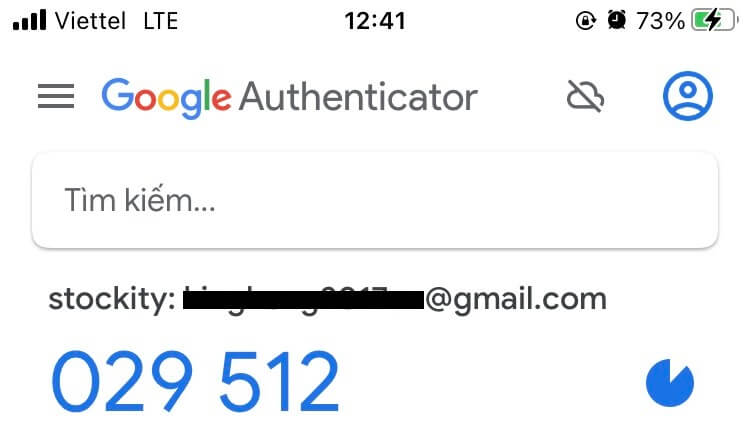
5. After entering the six-digit code that the app provides, click "Next" to finish configuring the authenticator.
6. After copying the recovery code, select "Next". Another method to access an account is with recovery codes. It comes in useful if you misplace your phone and are unable to open the authenticator app. Although the codes are one-time, you can update them at any moment.
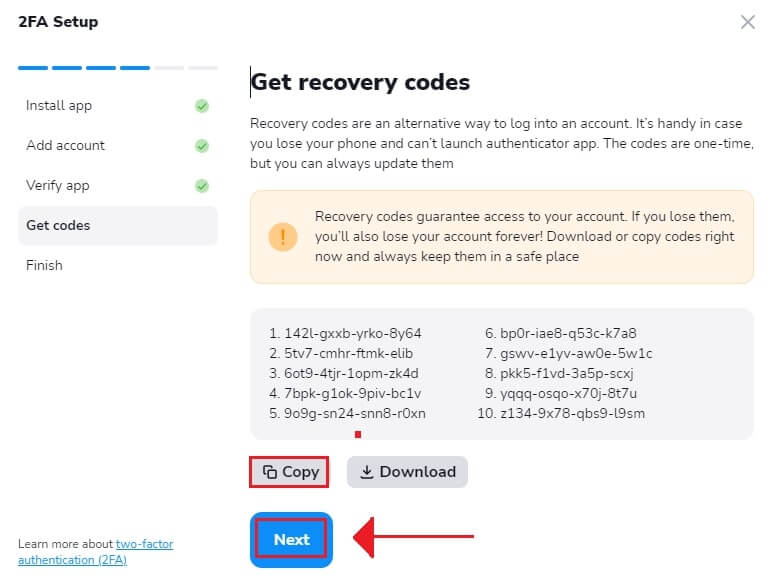
7. After copying the Recovery code, select "Finish".
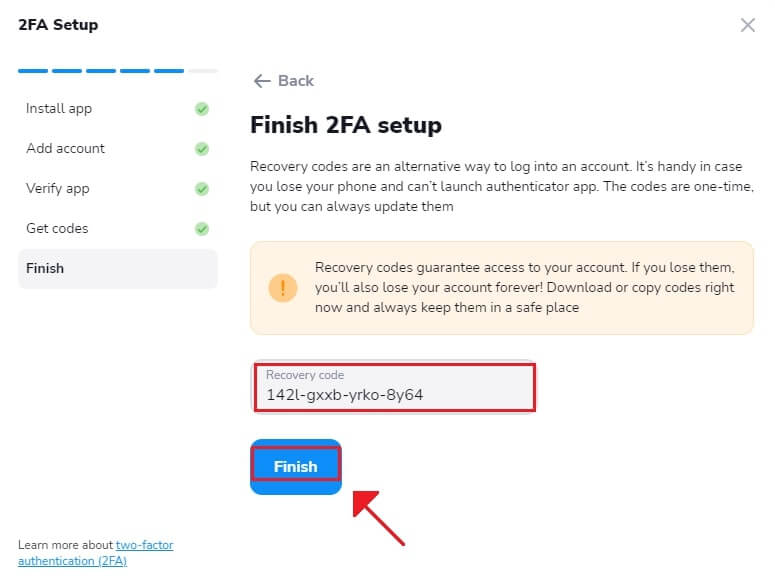
Two-factor authentication (2FA) is an essential security feature of Stockity. Once 2FA is configured, a new verification code will be required each time you enter into your Stockity account.
Benefits of Verifying Your Stockity Account
Don’t forget to verify your Stockity account - it’s a crucial security precaution. There are various reasons why it is important to verify an account:
- Lowers the chance of fraud. Ensuring your identity serves as a safeguard to prevent unauthorized transactions or account access under your name. Stockity verifies your identification with a multi-factor authentication procedure that combines something you own (like a security code texted to your phone) with something you know (like a password).
- Increases credibility and trust. You are demonstrating to Stockity that you are who you claim to be by authenticating your account. This enhances your reputation as a reliable and respectable user of the platform and its services. As a result, Stockity will feel more comfortable giving you access to more account features and advantages.
Frequently Asked Questions
Is it possible to trade without verification?
You are free to make a deposit, trade, and withdraw funds without verification. However, the verification process will be triggered when you initiate a withdrawal from your account. Once you receive a pop-up notification requesting verification, withdrawals will be temporarily restricted, but you can continue to trade. Completing the verification process will restore the ability to withdraw funds.The great news is that our verification process typically takes less than 10 minutes to complete.
How do I ensure the security of my account?
We strongly recommend setting stronger passwords (using upper and lower case letters, digits, and symbols) from the start, so it would be hard to guess. Don’t use the same login data (email address, password) across multiple websites, and never transfer your login data to third parties.We remind you that it’s your personal responsibility to keep your personal data safe.
How long does the verification process take?
Typically, we can verify your account in less than 10 minutes.However, in rare instances where the automatic verification process is unable to verify your documents, we conduct a manual review, which may take up to 7 business days to complete. During this verification period, you can continue to make deposits and engage in trading activities, but withdrawals will be temporarily unavailable until the verification process is finalized.
In Summary: Authenticating Stockity Accounts - Boosting Safety and Confidence
As you can see, confirming your Stockity account is a simple procedure that shouldn’t be disregarded. You may use all of Stockity’s tools and features to maximize your investment returns by just a few minutes to verify your email address and mobile number. You may link other accounts for a consolidated picture of your finances, set up personalized alerts and notifications, enable two-factor authentication for increased protection, and access premium research reports and analysis to help you make trade decisions with a verified account. Although Stockity provides a strong platform for all users, authentication enables you to take advantage of the features that have the most impact.In conclusion, you should prioritize validating your Stockity account to lower security concerns, unlock additional services, and establish credibility. While the authentication process is quick, the advantages it offers will improve your Stockity experience for years to come.
FAQs
Valid government photo ID (passport, national ID card, or driver’s licence) plus a recent proof of address such as a utility bill, bank statement, or official government letter. Files should be clear, unedited, show full name and date, and the address must match your account profile.
Log in to your account, open the verification or KYC section in your dashboard, and follow the prompts to upload ID and proof of address. You may be asked for a selfie or liveness check. Check file formats and size limits, then submit and wait for the confirmation message. Retain originals in case support requests further evidence.
Common causes are blurry or cropped images, expired documents, name or address mismatches, and selfies that don’t match the ID. To fix this, upload high-resolution scans or photos that include all four corners of the document, ensure the document is valid, and that names/addresses exactly match your profile. If rejected without clear reason, contact support with timestamps and resubmit corrected files.
Reviews are often completed within 24–72 hours but complex checks or high traffic can extend that. You may be allowed to deposit or trade with limited functionality, but full withdrawal capability typically requires completed verification. If verification is delayed beyond the stated window, contact support with your submission ID for an update.
You may be able to access demo trading or limited live trading before full verification, but payout requests and higher trading limits are often restricted until verification is approved. Completing verification promptly ensures uninterrupted access to withdrawals and full account features.